A remote worker international phone setup is not about carrying two SIM cards and hoping your home carrier's roaming bundle covers a forty-minute client call from Lisbon. It is about reaching any mobile or landline on the public telephone network — Chase fraud verification, a UK supplier's main line, a US client's office receptionist — from a laptop in any timezone without per-seat telephony contracts or Microsoft ecosystem lock-in.
Remote workers violate every assumption traditional business phone systems were built on: fixed office address, desk phone MAC addresses, and callers who stay in one country. Whether you are a contractor billing US clients from Georgia, a support lead calling EU payment processors from Mexico, or a founder closing deals across three continents from a co-working desk, you need voice connectivity that follows your browser, not your SIM contract. Ringvoo gives distributed professionals browser-based international PSTN calling with transparent rates, optional virtual numbers, and team scaling through Ringvoo Enterprise.
Key Takeaways
- Browser VoIP over Wi-Fi is the default for remote workers who call banks, clients, and landlines — free messaging apps cannot replace PSTN.
- A virtual number preserves professional inbound identity when clients or employers expect a US or UK callback line.
- Pay-as-you-go credits beat per-seat subscriptions when your destinations and call volume change every month.
- Verified outbound caller ID reduces spam scoring when you dial financial and enterprise support lines.
- Deep dive on virtual lines: virtual phone number guide and second phone number for international business.
The Remote Worker Phone Problem
Traditional business telephony assumes you sit in an office with a managed desk phone registered to a Session Border Controller. Remote workers break that model daily.
Roaming on a personal SIM: Your T-Mobile or EE plan may include "international calling" from your home country — not from Thailand, Portugal, or Colombia. Outbound PSTN while roaming often triggers $1–3 per minute or more.
Meeting apps are not phone systems: Zoom, Meet, and Teams excel at scheduled video. They cannot dial a published bank helpline, a supplier's landline, or an IVR that requires DTMF tones unless you add expensive Phone System licensing.
App-only messaging fails: WhatsApp works when both parties use the app. It cannot reach HMRC, a US insurance verification line, or a client's reception desk that only answers PSTN.
Local SIM limitations: A SIM bought in your current country gives cheap data but does not help you call a German client's landline or your US credit union from abroad.
Callback expectations: Clients and banks often return calls to a number on file. If that number is a home mobile you left behind, you miss revenue and security resets.
The solution is a location-agnostic calling layer — browser pay-as-you-go VoIP for outbound PSTN, optional virtual numbers for inbound identity, and free apps reserved for peer video.
The Remote Worker Calling Stack — What to Use When
| Scenario | Best method | Why |
|---|---|---|
| Call client or vendor landline | Browser VoIP (Ringvoo) | PSTN reach, transparent rates |
| Video with remote teammate | Zoom, Meet, Slack huddle | Free when both on platform |
| Call home bank / government | Browser VoIP | IVR and DTMF need PSTN |
| Receive client callbacks | Virtual number | Professional inbound identity |
| Emergency local services | Local SIM cellular | VoIP is not for 112/911 |
| Short trip with one laptop | Hotel or co-working Wi-Fi + browser VoIP | No hardware phone required |
Most remote workers run a hybrid stack: eSIM or local SIM for data and emergencies, browser VoIP for outbound international PSTN, free apps for peer video, and a virtual number only when inbound identity matters for billing or compliance.
Understand the foundation in what is browser calling before comparing vendors.
Browser VoIP — The Remote Worker Default
Browser calling requires no install — critical when you are on a managed client laptop, a Chromebook, or a shared co-working machine where IT blocks softphone downloads.
How it works:
- Connect to co-working, home, or café Wi-Fi (or mobile hotspot from your eSIM).
- Open Ringvoo in Chrome, Safari, or Edge.
- Enter the destination number in E.164 format (
+1,+44,+91, etc.). - Call — audio routes through carrier interconnects to a normal phone.
Advantages for remote workers:
- Works in any country with internet — no roaming voice required.
- Credits do not expire when client work pauses between contracts.
- Per-destination rates visible before you dial — no post-trip bill shock.
- Same account on laptop, tablet, and phone browser — no device sync issues.
- Call history in dashboard for expense documentation and dispute references.
Limitations:
- Requires stable internet — carry a mobile hotspot backup for critical client calls.
- Some corporate or co-working firewalls block WebRTC — switch to hotspot if audio fails.
- Not for local emergency numbers — keep a SIM or know local emergency access.
Nomads and long-term travelers share the same stack — see digital nomad international calling for country-hopping workflows.
Virtual Numbers and Inbound Identity
Outbound browser VoIP solves dial-out. Inbound is a separate problem: clients who call your US line, banks that callback-verify, or employers who expect a fixed country code on your invoice.
A virtual phone number from your target market rings in your browser when you are online. You choose country and area code where available, purchase through Ringvoo, and answer from the same dashboard you use for outbound calls.
Use cases:
- US or UK number on your freelance website while you work from Southeast Asia
- Callback line for financial account recovery without roaming your home SIM
- Separate business line without carrying a second physical phone
Do not confuse a virtual number with a complete phone system — it solves inbound identity and SMS in supported regions; browser VoIP solves outbound PSTN at low cost. Read how to receive calls in your browser for setup details.
For business-specific number strategy, see second phone number for international business.
Enterprise and Team Scaling
Individual Ringvoo accounts cover solo contractors and small partnerships. When headcount grows — sales pods, support back-office, distributed agencies — Ringvoo Enterprise adds:
- Centralized credit pools and usage visibility across team members
- Verified outbound caller ID for consistent client-facing identity
- Administrative controls without per-seat Microsoft Phone System licensing
- Flexible scaling when some staff travel and others stay home
Compare against legacy business UC in Skype for Business alternative if your org is migrating off Microsoft telephony or never adopted it.
Enterprise does not require desk phones or SIP trunk procurement cycles — staff authenticate in browser and dial. That matches how remote teams actually work in 2026.
Remote worker international phone with Ringvoo
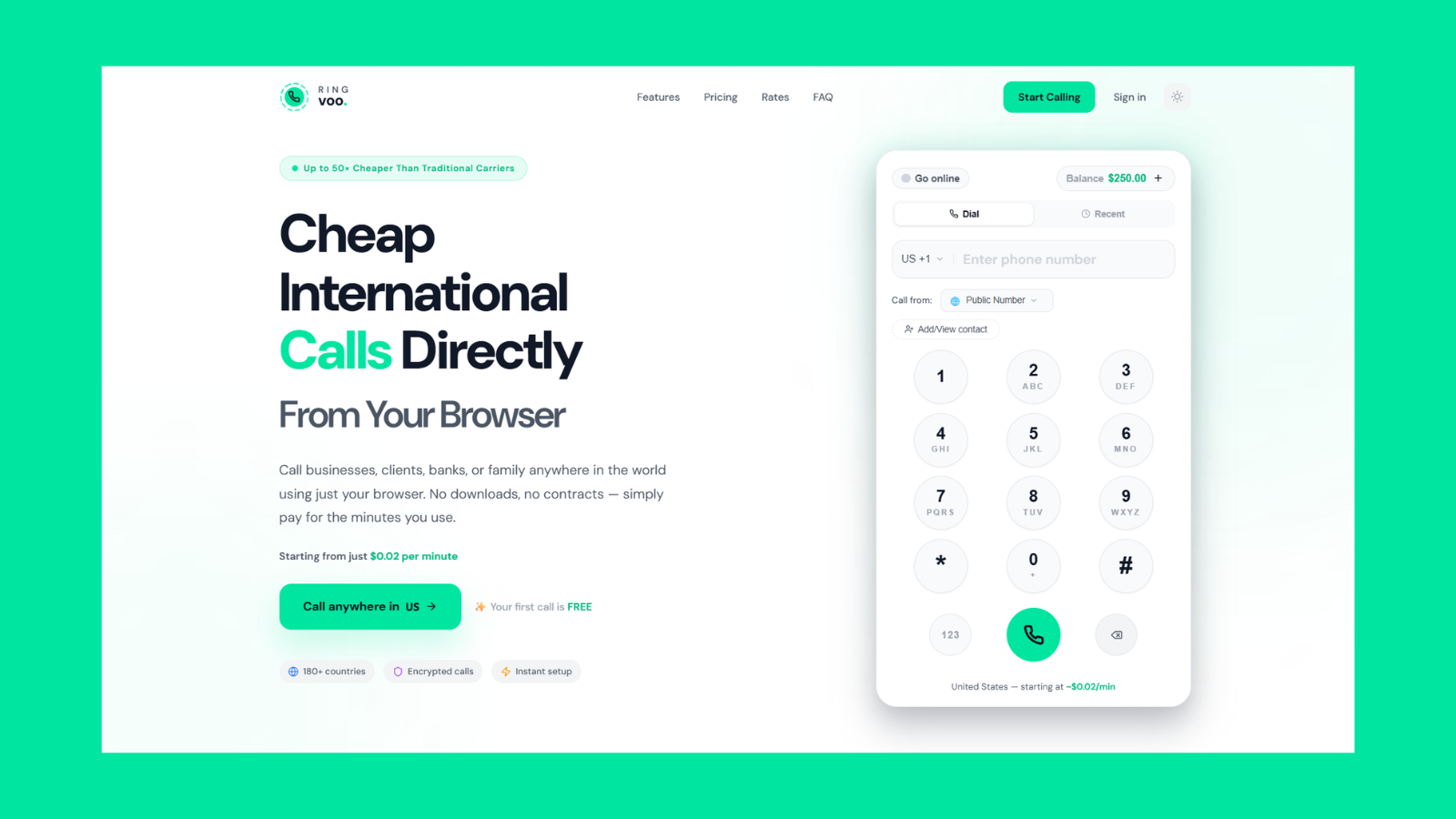
Ringvoo is built for location-independent professionals. Log in from anywhere, dial any mobile or landline worldwide, pay only for minutes used, and add virtual numbers when clients need a familiar callback line.
Try Ringvoo free — call from your browser · View international rates
Practical Setup Checklist for Remote Workers
- Audit your monthly PSTN destinations — list top three country codes you dial for clients, banks, and vendors.
- Estimate minutes per destination and multiply by Ringvoo rates — compare to roaming quotes from your personal carrier.
- Create Ringvoo account at login before your next client onboarding call — test audio with a one-minute call.
- Load modest credit balance ($10–$25) and bookmark rates for your corridors.
- Save contacts in E.164 — full international format prevents misdials from foreign keyboards.
- Add virtual number only if inbound callbacks or local presence are contract requirements — browse virtual numbers.
- Use wired earbuds with mic in noisy co-working spaces; test DTMF on a bank IVR before a critical verification call.
- Enable two-factor authentication on your VoIP account; treat call history as expense evidence.
Use Ringvoo country codes when converting numbers you only ever dialed locally before moving abroad.
Audio, Security, and Time Zone Discipline
Audio quality: Wired earbuds beat laptop speakers in open offices. Test call quality on a local test number before a forty-five-minute client discovery call.
Security: Use HTTPS-only login. For banking calls on public Wi-Fi, follow your bank's VPN guidance if provided. Never read full card numbers aloud in crowded spaces — use secure portal links when the agent offers them.
Time zones: Store client and institutional time zones in your calendar. Scheduling a call at 9 AM Eastern from Western Europe means 3 PM local — confirm both sides agree.
DTMF reliability: IVR menus (press 1 for billing) require a dialer that sends keypad tones reliably — browser VoIP through Ringvoo supports this; some free consumer apps do not.
Backup plan: If Wi-Fi fails mid-call, reconnect and redial with your case reference. For mission-critical closes, have a mobile hotspot ready before you dial.
Frequently Asked Questions
What is the best phone setup for remote workers abroad?
eSIM or local data for connectivity, browser pay-as-you-go VoIP for all PSTN outbound, free apps for peer video, and a virtual number only if inbound identity matters.
Do remote workers need a business phone plan?
Not necessarily. Many remote professionals replace carrier international packs with Wi-Fi VoIP for voice while keeping a data-only SIM. Compare math for your actual minute volume.
Can I use Ringvoo on a company-managed laptop?
Usually yes — modern browsers work without admin installs. If WebRTC is blocked on corporate networks, use mobile hotspot for the call or request IT exception for HTTPS voice.
How do remote workers receive international client calls?
Purchase a virtual number in the client's country and answer in your browser when online. See receive calls in browser.
Is WhatsApp enough for remote work calling?
For teammates on the same app, often yes. For clients on landlines, banks, government, and vendors with published PSTN numbers — no.
What caller ID do clients see when I use VoIP?
Configurable verified caller ID where supported — often your virtual number or a verified mobile. Check dashboard settings after logging in.
How does Ringvoo compare to Microsoft Teams Phone for remote teams?
Teams Phone fits Microsoft-centric orgs with per-seat licensing. Ringvoo fits lean remote teams that primarily need browser PSTN dial-out and optional virtual inbound without M365 telephony bundles. Explore enterprise options for team credit pools.
Will my credits expire between contracts?
Ringvoo pay-as-you-go credits do not expire — useful when freelance volume spikes and pauses.
Build Your Remote Worker Phone Stack Today
The best remote worker international phone setup is deliberately simple: internet connectivity, browser pay-as-you-go VoIP for every PSTN call, free apps for peer video, and a virtual number only when contracts or callbacks require local presence. Roaming voice on your personal SIM should be the emergency fallback — not the default.
Stop overpaying at borders. Read virtual phone number guide, compare second phone number for international business, check live rates, and create your free Ringvoo account before your next client call crosses a timezone.