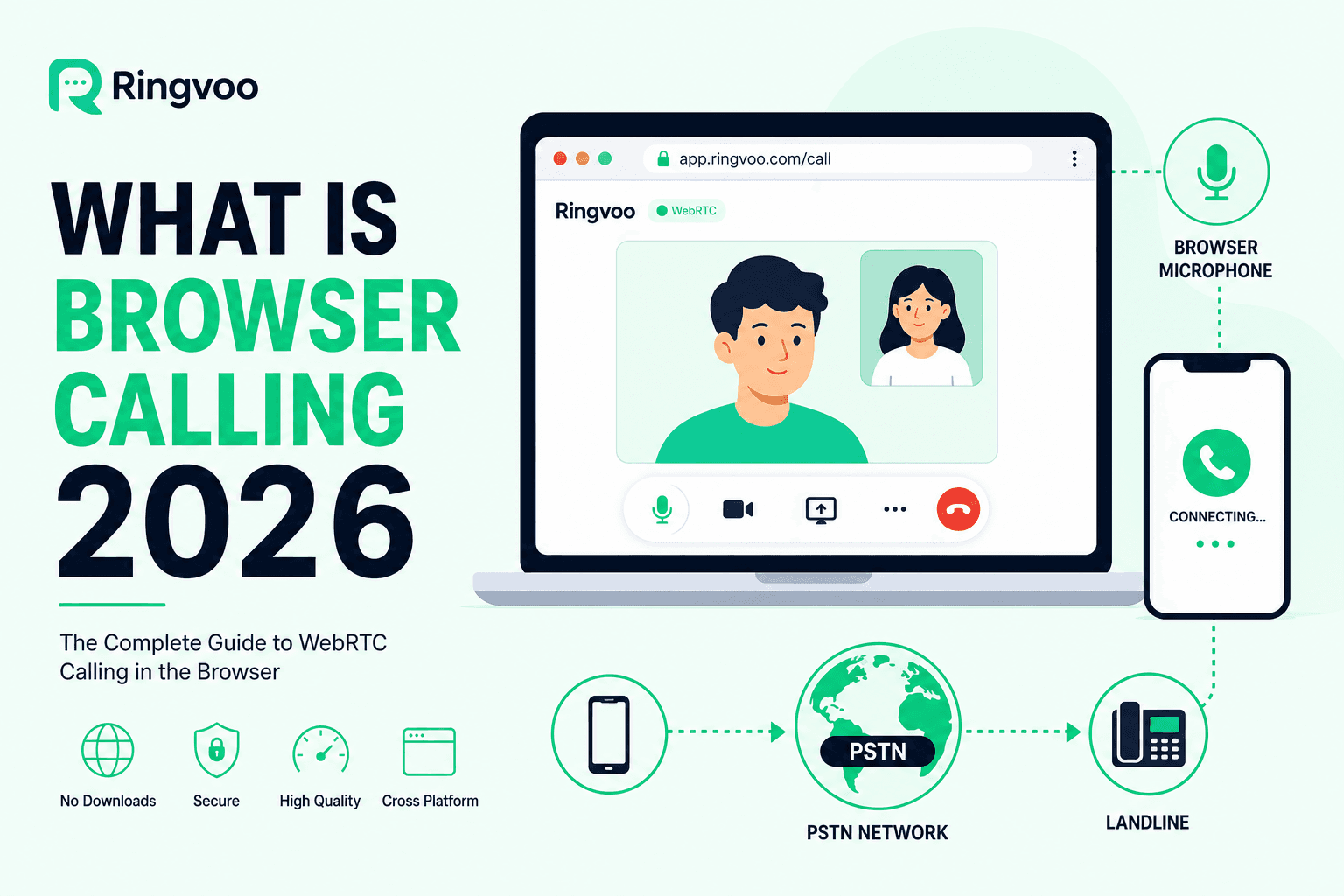
Browser calling lets you place voice calls to real phone numbers worldwide directly from Chrome, Safari, Edge, or Firefox — no app store download, no desktop client updates, no SIM required. If you have ever wondered how Gmail used to call phones or how modern VoIP platforms replace Skype without installing software, the answer is WebRTC connected to the public telephone network (PSTN).
Ringvoo is a browser-first international calling platform built on this technology. This guide explains what browser calling is, how audio travels from your laptop to a mobile in Mumbai or a landline in London, what it costs, whether it is safe, and when it beats traditional apps.
Key Takeaways
- Browser calling uses WebRTC to capture microphone audio in your browser and route it through a VoIP provider to PSTN numbers globally.
- No app install required — open a website, log in, enter +country number, and call over Wi-Fi or mobile data.
- Unlike WhatsApp, browser calling reaches any mobile or landline — banks, government, businesses included.
- Ringvoo is browser-native — pay-as-you-go credits, 180+ countries, optional virtual numbers.
- Go deeper: Skype vs browser calling.
How Browser Calling Works (WebRTC → PSTN)
Step 1: You open the dialer
A website like Ringvoo loads JavaScript that accesses your browser's WebRTC APIs — the same technology behind Google Meet and Zoom in-browser.
Step 2: Microphone permission
Your browser asks to use your microphone (and optionally speakers/headset). Audio is encoded with efficient codecs (typically Opus) for internet transport.
Step 3: Signaling and routing
The VoIP platform's servers negotiate the call session, authenticate your account, and check your credit balance against destination rates.
Step 4: PSTN termination
The provider connects to carrier interconnects worldwide. Your browser audio becomes a standard phone call on the recipient's mobile or landline — they answer normally, no app needed.
Step 5: Billing
Duration is metered per minute (or partial minute per provider rules). Your wallet debits accordingly.
Your browser → WebRTC → VoIP cloud → Carrier network → Recipient phone
Browser Calling vs Apps vs Carrier Roaming
| Method | Install required? | Calls any phone? | Typical cost |
|---|---|---|---|
| Browser calling (Ringvoo) | No | Yes — PSTN | Pay-as-you-go per minute |
| WhatsApp / FaceTime | Yes | No — app users | Free on Wi-Fi |
| Skype desktop app | Yes | Yes (with credit) | Credit/subscription |
| Cellular roaming | SIM only | Yes | Very expensive |
Browser calling wins on friction (no install) and PSTN reach (unlike free apps). It beats roaming on cost for almost all international scenarios.
Compare apps: best international calling apps.
Is Browser Calling Safe and Legal?
Encryption: WebRTC sessions use encrypted transport (DTLS/SRTP) between your browser and the VoIP provider's infrastructure. Voice crossing PSTN beyond that follows standard telecom paths.
Privacy: Choose established providers with clear privacy policies — Ringvoo focuses on billing and call functionality, not selling contact graphs.
Legality: Browser VoIP is legal in most countries for personal international calling. Some nations restrict VoIP for residents — verify local rules if unsure. Employers may block VoIP on corporate networks.
Security tips: Use HTTPS sites only, enable two-factor authentication on accounts, avoid public Wi-Fi for sensitive banking calls without VPN if policy requires.
Try browser calling with Ringvoo
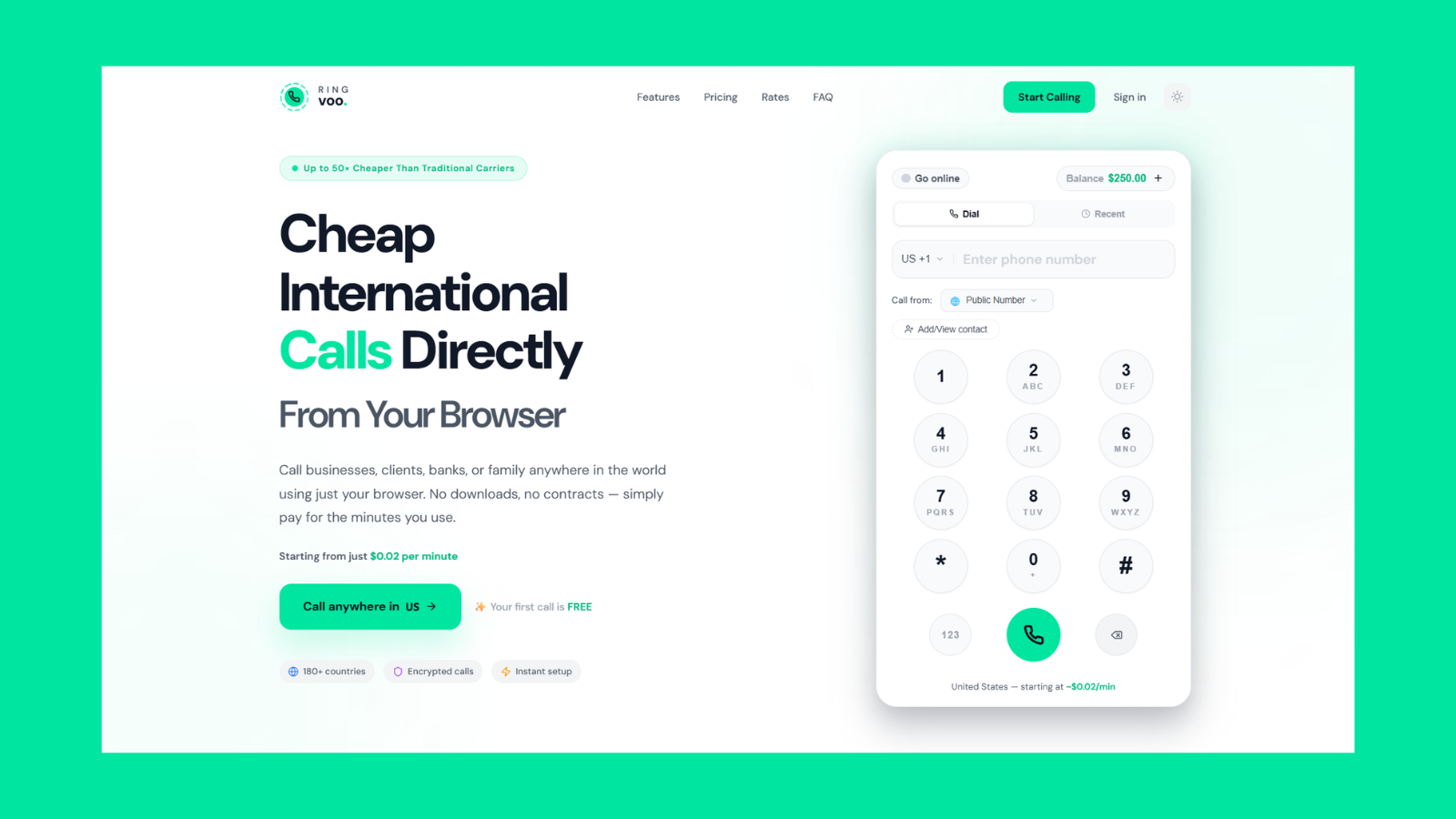
Experience browser calling in under two minutes: sign up free, add credits, enter any international number, call from your browser tab. No download — works on laptop, tablet, and phone browsers.
Try Ringvoo free — call from your browser · View international rates
Devices That Support Browser Calling
Desktop: Windows, macOS, Linux — Chrome, Firefox, Safari, Edge.
Mobile: iPhone Safari, Android Chrome — add site to home screen for app-like access.
Tablet: iPad and Android tablets — ideal for travelers without laptops.
Requirements: Modern browser (last 2 major versions), microphone, stable internet (1 Mbps+ sufficient for voice).
Not supported: legacy Internet Explorer, very old Android WebViews without WebRTC.
Use Cases — Expats, Travel, Remote Work
Expats in UAE calling home: Daily PSTN to India, Pakistan, UK on Wi-Fi — see call India from UAE.
Travelers without local SIM: Hotel Wi-Fi + browser dialer — international calls without a SIM.
Remote workers: Client calls on geographic landlines without company phone system.
Inbound callbacks: Pair with virtual phone number to receive calls in browser too.
Cost-conscious callers: Cheapest way to call abroad often routes through browser PAYG.
Browser Calling Limitations
- Requires internet — no offline fallback like cellular voice.
- Emergency services: Browser VoIP is not a replacement for local emergency numbers (911, 999, 112) — use native cellular for emergencies.
- Call quality depends on network — congested Wi-Fi causes packet loss; use wired connection for critical calls.
- Some corporate firewalls block WebRTC — try mobile hotspot if office network restricts UDP.
Getting Started in 5 Minutes
- Visit Ringvoo login and create account.
- Add credit balance.
- Allow microphone when prompted.
- Dial test number in +E.164 format.
- Bookmark dialer; save frequent contacts.
Frequently Asked Questions
What is browser calling?
Voice calling from a web browser to regular phone numbers using WebRTC and VoIP infrastructure — no app download.
Can I call landlines from my browser?
Yes — providers like Ringvoo terminate calls on PSTN landlines and mobiles worldwide.
Is browser calling the same as Wi-Fi calling?
No. Carrier Wi-Fi calling uses your mobile plan's voice routing. Browser VoIP uses separate internet-based pricing — usually cheaper internationally.
Do I need a SIM card for browser calling?
No — internet connectivity suffices. See international calls without a SIM.
Is browser calling free?
The technology is free; PSTN termination costs money. Ringvoo signup is free; you pay per minute at rates.
Which browsers support WebRTC calling?
Chrome, Safari, Firefox, Edge on desktop and mobile — current versions.
Can I receive calls in my browser?
Yes — with a virtual number assigned to your account. See receive calls in browser.
Browser Calling Is the New Default
Browser calling removes the last reason to install a dedicated international dialer app. For PSTN reach, transparent pricing, and cross-device access, it outperforms legacy Skype clients and free messaging apps alike.
Learn Skype vs browser calling, check Ringvoo rates, and try it free.