Landing in a new country without a local SIM is normal now. You might rely on airport Wi-Fi, a hotel connection, or your home carrier's expensive roaming for data — but when you need to call a real phone number abroad, WhatsApp alone will not help if the other person is not on the same app. That gap is exactly why people search for international calls without a SIM card.
The Ringvoo Team works with travelers, expats, and remote employees who dial banks, family landlines, and client offices from laptops and tablets daily. This guide explains every practical method — Wi-Fi calling, browser VoIP, eSIM alternatives, and what to avoid — so you can reach 180+ countries without swapping plastic SIMs or paying roaming shock bills.
Key Takeaways
- A SIM card is not required to call international phone numbers — you need internet (Wi-Fi or mobile data) and a service that connects to the PSTN.
- Browser VoIP like Ringvoo lets you dial mobile and landlines from any device with a microphone — no app store, no local carrier.
- WhatsApp and FaceTime are not PSTN replacements — they only call others on the same platform.
- Wi-Fi quality matters more than whether you have a SIM — use stable connections and a decent headset for clear voice.
- Compare tools and rates in our guides to Skype alternatives and international calling apps.
Why You Might Not Have (or Want) a SIM
Several situations lead to SIM-free calling needs:
- Just arrived abroad — your eSIM or local SIM is not activated yet, but you must call home tonight.
- Corporate travel policy — company phone stays on home network; personal SIM removed for security.
- Tablet or laptop only — iPad and Chromebook users lack traditional phone dialers entirely.
- Roaming costs — your carrier charges several dollars per minute; you refuse to enable roaming.
- Dual-life logistics — you maintain numbers in two countries and do not want another physical SIM slot filled.
- Temporary relocation — semester abroad, contract assignment, digital nomad month — short horizon makes local SIM paperwork annoying.
In all cases, the underlying requirement is identical: reach an ordinary telephone number (+1, +44, +91, etc.) using internet connectivity instead of a mobile operator's voice network.
Methods Compared: International Calls Without a SIM
| Method | Needs SIM? | Calls landlines? | Typical cost | Best for |
|---|---|---|---|---|
| Browser VoIP (Ringvoo) | No | Yes — 180+ countries | Pay-as-you-go per minute | Laptops, travelers, expats |
| WhatsApp / Telegram voice | No (data only) | No — app users only | Free on data | Chatting with contacts on same app |
| Wi-Fi Calling (carrier feature) | Yes — home carrier SIM/account | Yes | Roaming or plan-dependent | Users with active home SIM on Wi-Fi |
| Skype / app VoIP | No | Yes | Credits or subscription | Users okay installing apps |
| Hotel room phone | N/A | Yes | Very expensive | Emergencies only |
| Callback services | Varies | Yes | Per minute | Legacy; largely replaced by VoIP |
The standout SIM-free PSTN option for modern travelers is browser-based VoIP because it avoids app installs and works on locked-down devices. For deeper platform comparisons, read Skype vs browser calling.
Method 1: Browser-Based International Calling (Recommended)
Ringvoo was built for callers who have internet but not necessarily a local SIM. You sign up with email, add credits, open the dialer in Chrome, Safari, Firefox, or Edge, and place calls through WebRTC to the public telephone network.
Step-by-step: your first SIM-free international call
- Connect to reliable internet — hotel Wi-Fi, café broadband, or mobile hotspot from a friend's phone.
- Create a Ringvoo account at login. No phone number is required to register.
- Purchase credits — pay only for what you need; Ringvoo credits never expire.
- Allow microphone access when the browser prompts you.
- Enter the full international number — country code first, then national number (e.g., +1 for US, +971 for UAE).
- Press call — the recipient's mobile or landline rings normally.
- Optional: verify caller ID in Settings so people see a number they recognize when you call back.
This workflow works from a Dubai hotel calling family in India, a London co-working space calling clients in New York, or any supported corridor. Explore route-specific tips like calling the USA from the UAE on our dedicated pages.
Why browser beats app-only when SIM-less
Without a SIM, your phone may still browse the web but lack a native dialer tied to a carrier. Browser calling unifies laptop and phone: one account, one wallet, one contact list. IT departments that block VoIP app installs often still allow HTTPS business tools — another reason expat professionals choose browser-first platforms.
Method 2: Wi-Fi Calling Through Your Home Carrier
Many carriers offer Wi-Fi Calling — voice rides over Wi-Fi but presents as your normal mobile number. This can work internationally without local SIM if:
- Your phone still has an active home SIM (or eSIM profile) logged into the carrier.
- Wi-Fi Calling is enabled in settings.
- Your plan allows international Wi-Fi calls without roaming surcharges.
Limitations are common. Some carriers disable Wi-Fi Calling abroad. Others bill international legs at roaming rates despite Wi-Fi. You still depend on a home mobile account — not truly SIM-independent if you removed the SIM entirely.
Wi-Fi Calling complements browser VoIP but does not replace it when your SIM is out or your carrier blocks the feature overseas.
Method 3: Messaging Apps (WhatsApp, Telegram, Signal)
Free voice and video between app users are excellent for international calls without SIM when both parties use the same messenger on data or Wi-Fi. They fail when you must dial:
- A landline in a village where relatives never installed smartphones.
- A bank fraud hotline or government office.
- A hotel front desk that only publishes a PSTN number.
- A client who expects calls on their office switchboard.
Keep WhatsApp for friends; use PSTN-capable VoIP for everything else. We cover app limits in best international calling apps.
Method 4: Dedicated VoIP Apps (Skype, Viber Out, Rebtel)
Mobile and desktop apps can dial internationally without a local SIM, using credits or subscriptions over Wi-Fi. This mirrors browser VoIP functionally but adds install and update overhead.
As Skype's consumer future narrows, many users migrate to Skype alternatives including browser platforms. Choose apps when you prefer OS-level notifications; choose browser when installs are blocked or undesirable.
No SIM? Call abroad with Ringvoo
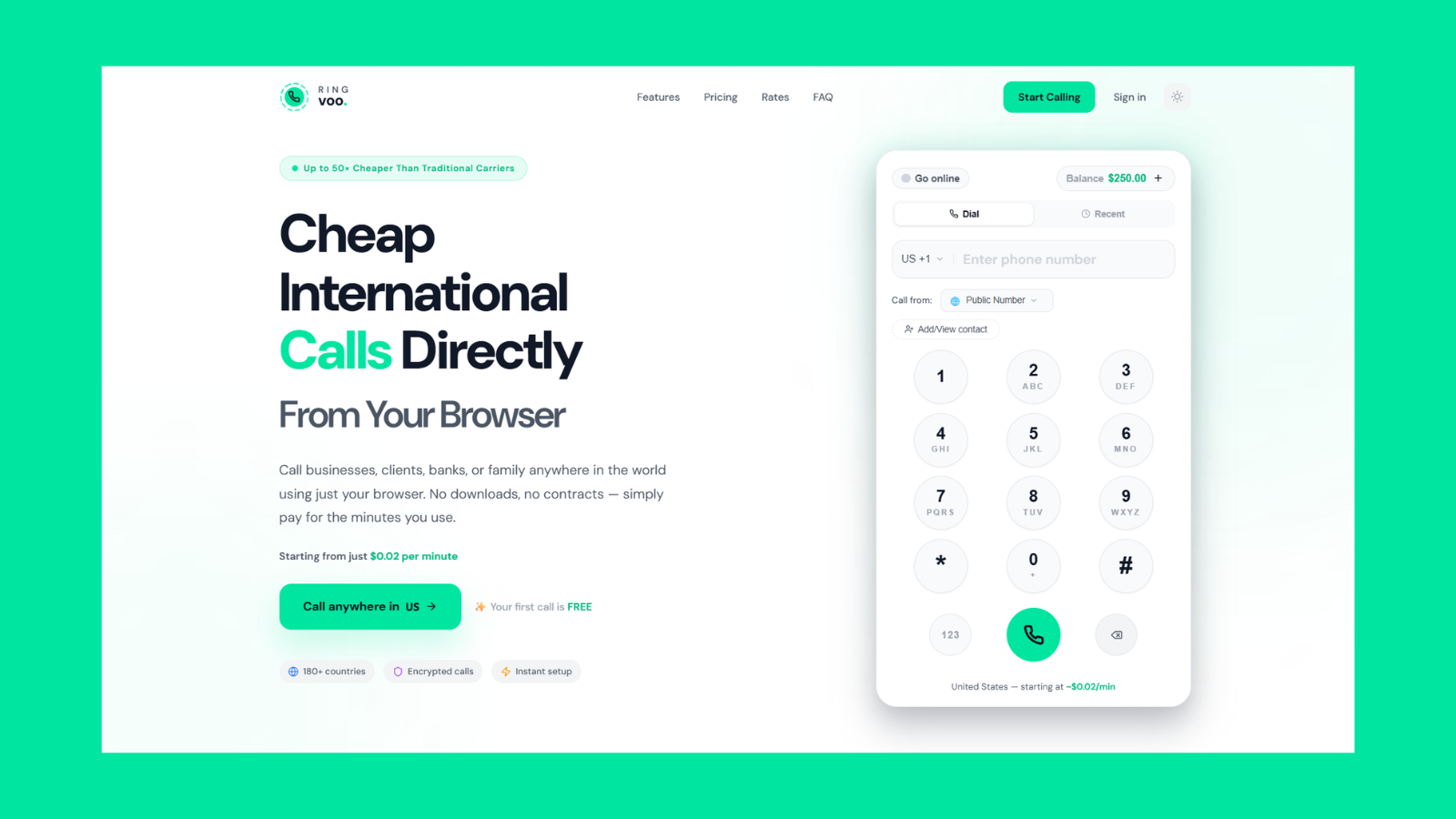
Travelers and remote workers use Ringvoo to call internationally without a SIM — only Wi-Fi and a microphone required. Pay per minute to 180+ destinations.
Try Ringvoo free — call from your browser · View international rates
Method 5: eSIM as a Middle Ground
An eSIM is still a SIM logically, but it is digital — no physical swap. Travelers buy data-only eSIM profiles for local data, then pair with browser VoIP for voice. You get cheap data without committing to a carrier's international voice rates.
eSIM plus Ringvoo is a popular 2026 stack: local data for maps and messaging, browser wallet for calling any phone number at published rates.
What Does Not Work (Despite Google Results)
Avoid dead ends:
- "Free international calls" apps that only call app users — not PSTN.
- Random callback websites with hidden fees or poor audio — legacy models largely obsolete.
- Assuming email or SMS replaces urgent voice — banks and hospitals still expect phone calls.
- Using hotel phones without checking rates — often $5–15 per minute.
If a solution cannot dial a plain mobile number you type digit by digit, it will not replace your need for true international voice.
Network Tips for Clear Calls Without a SIM
SIM-free does not mean quality-free. Optimize your setup:
Prioritize stable Wi-Fi
Packet loss causes robotic audio. Sit closer to the router, use 5 GHz Wi-Fi when available, or tether from a phone with strong LTE/5G if hotel Wi-Fi is saturated.
Use a wired headset
Built-in laptop mics pick up keyboard noise. USB or 3.5 mm headsets improve clarity for long family or client calls.
Close bandwidth hogs
Pause downloads, streaming video, and cloud backups during important conversations.
Know your exit code habits
When saving contacts, store numbers in E.164 format (+country code + number). Ringvoo's dialer accepts international format directly — no need to remember 00 vs 011 exit codes from every country you visit.
Monitor your wallet balance
Pay-as-you-go means checking credits before a long catch-up call. Ringvoo shows balance in the dashboard; top up in seconds if needed.
Cost Comparison: Roaming vs Browser VoIP
Roaming voice is the expensive default when you keep a home SIM active abroad without a plan. Even "international day passes" add up for frequent callers.
Browser VoIP charges transparent per-minute rates by destination — often far below roaming. A thirty-minute weekly call home at roaming prices can exceed an entire month of VoIP credits at competitive rates. Always compare your carrier's roaming tariff to published VoIP rates for your corridor.
For US-centric comparisons including Google Voice, see Google Voice vs Skype vs Ringvoo.
Inbound Calls Without a Local SIM
Outbound is half the story. Professionals and freelancers also need people to reach them. Ringvoo lets you purchase virtual phone numbers and receive inbound calls directly in your browser — ringing with an on-screen popup when you are online.
That means clients can call your US or UK number while you sit SIM-free in Lisbon or Bangkok, answering from a laptop. Custom caller ID handles outbound presentation; purchased numbers handle inbound — a complete softphone life without local carrier registration.
SMS on virtual numbers is available on a trial basis for US and Canada numbers in Ringvoo — useful for verification codes when paired with voice.
Security When Calling on Public Wi-Fi
SIM-free travelers often use airport and café networks. Voice on reputable VoIP platforms encrypts media in transit via WebRTC. Still:
- Prefer HTTPS-secured provider dashboards.
- Avoid entering payment details on captive portals you do not trust — top up credits on a known network when possible.
- Use strong account passwords and log out on shared computers after calling.
Ringvoo never asks for your carrier credentials — only account login and payment for credits you choose to buy.
Who Benefits Most From SIM-Free International Calling?
- Study-abroad students calling parents on home landlines.
- Contract workers on site weeks before local SIM paperwork completes.
- Digital nomads minimizing SIM swaps across borders monthly.
- Support teams hiring abroad where company laptops block telephony apps.
- Families maintaining ties across countries without duplicating mobile contracts.
If you recognize yourself here, try Ringvoo free — create an account, add a small credit balance, and test one short call to mobile and landline in your top destination.
The Bottom Line
International calls without a SIM card are not a hack — they are the normal outcome of internet-first life. You need three things: connectivity, a PSTN-capable calling service, and reasonable audio hygiene. Browser VoIP delivers the simplest path for laptops and travel devices without installs, subscriptions, or roaming shock.
Skype once made this obvious with Skype Credit. In 2026, Ringvoo and similar browser platforms carry that torch with clearer pricing, global signup, and credits that never expire. Keep WhatsApp for friends on WhatsApp; use browser calling when the phone number on the screen is the point.
Ready to call home tonight? Sign up for Ringvoo, check rates for your country, and dial from your browser in minutes — SIM optional, passport optional, landlines included.
Frequently Asked Questions
Can I make international calls with Wi-Fi only and no SIM at all?
Yes, if you use a PSTN-capable VoIP service like Ringvoo over Wi-Fi. Your device does not need a cellular SIM for browser calling — only internet and microphone access.
Does WhatsApp work for international calls without a SIM?
WhatsApp voice calls work on Wi-Fi or mobile data without a functioning voice SIM, but only to other WhatsApp users. You cannot dial ordinary landlines or mobile numbers outside WhatsApp.
How do I call a landline internationally without a local SIM?
Use browser or app VoIP that terminates on the public telephone network. Enter the full number with country code in Ringvoo's dialer; the landline rings like any international call.
Is browser calling legal when traveling?
VoIP for personal calling is widely permitted, but countries vary on VoIP regulation. Respect local laws and avoid using VoIP for unlawful purposes. Ringvoo provides standard international telecommunications routes used by businesses globally.
Do I need to buy a local SIM for cheap international calls?
Not necessarily. Local SIMs help with cheap local data, but international voice from local carriers can still be expensive. Many travelers use data-only eSIM plus browser VoIP for cheaper PSTN calls.
How much do SIM-free international calls cost?
Cost depends on destination and provider. Ringvoo publishes per-minute rates online with pay-as-you-go credits — compare against your carrier's roaming fees for your typical call length.
Can I receive calls without a SIM using VoIP?
Yes. Purchase a virtual number from Ringvoo and answer inbound calls in your browser when online. You do not need a local SIM to receive on that virtual number.
What is the best service for international calls without a SIM in 2026?
For browser-based PSTN calling with no subscription, Ringvoo is purpose-built for this workflow. Compare alternatives in best Skype alternatives and international calling apps.